A with acute
Acute
Ángel Spanish given name
COPY & TYPE / A WITH ACCENT
Choose the exact accented A you need. Every uppercase and lowercase character below is ready to copy and paste.
Click a character, then paste with Ctrl+V or ⌘V.
CHARACTER GUIDE
An A with an accent can carry an acute, grave, circumflex, tilde, diaeresis, ring, or macron. The correct form depends on the original language and spelling.
Acute
Ángel Spanish given name
Acute
más more in Spanish
Grave
À to or at in French
Grave
à to or at in French
Circumflex
Âge age in French
Circumflex
pâte dough in French
Tilde
São saint in Portuguese names
Tilde
maçã apple in Portuguese
Diaeresis or umlaut
Äpfel apples in German
Diaeresis or umlaut
Käse cheese in German
Ring above
Åland the Åland Islands
Ring above
blå blue in Swedish
Macron
Ā long A in some writing systems
Macron
Māori the Māori language and people
KEYBOARD METHODS
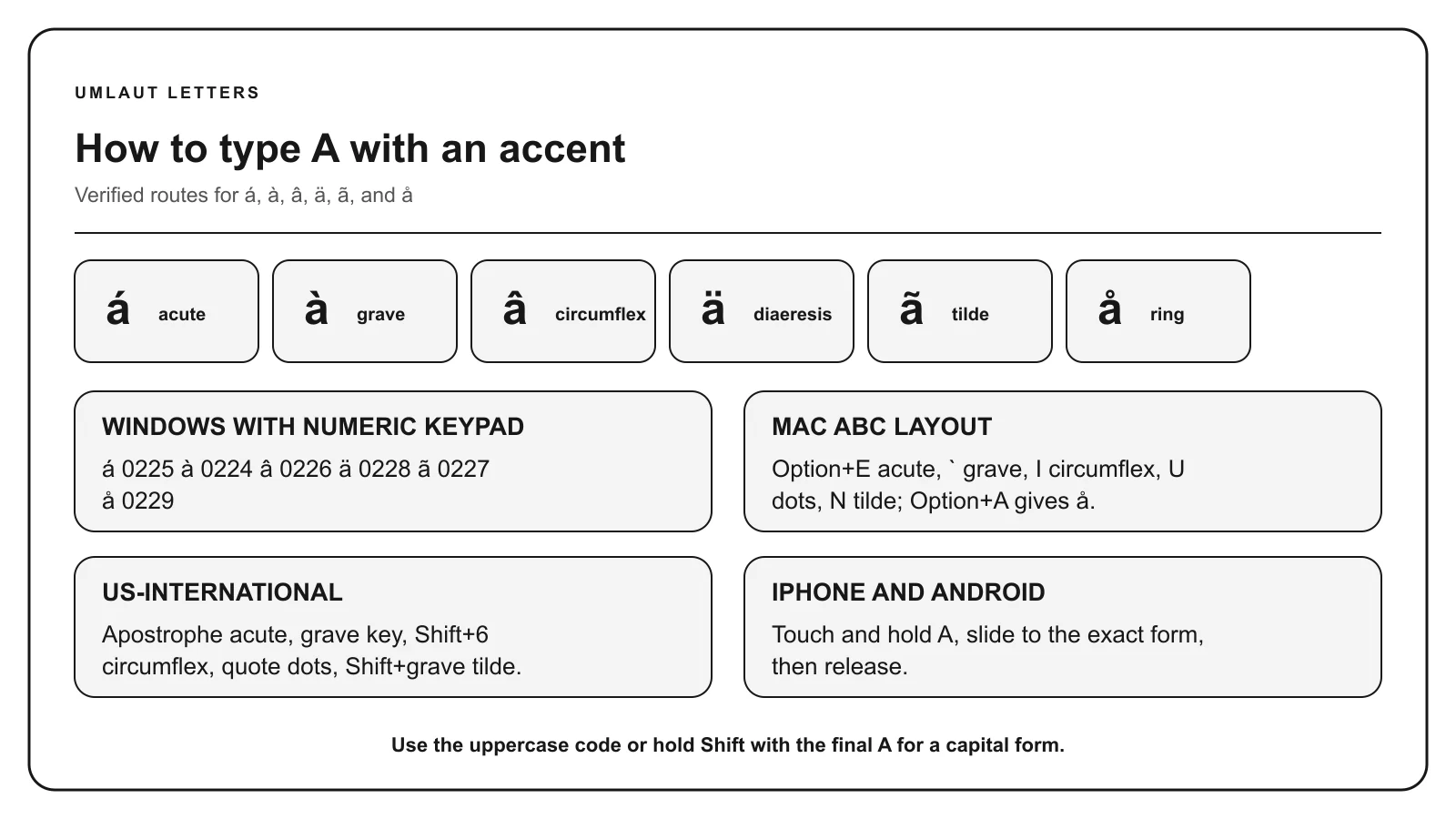
Turn Num Lock on. Hold Alt, enter 0225 on the numeric keypad, and release Alt to produce á.
Use the numeric keypad for listed Alt codes, not the number row. A listed code may depend on Windows and the active character set.
On the US or ABC layout, use Option + E for á, Option + grave for à, Option + I for â, Option + N for ã, Option + U for ä, and Option + A for å. Release the accent keys before typing A. The accent menu is often easier for choosing among several forms.
Shortcuts described here assume the US or ABC input layout. Another selected layout can assign different keys.
Touch and hold A on the on-screen keyboard. Keep your finger down, slide to the character you need, and release. Switch to uppercase before holding the key for a capital letter.
The available characters depend on your keyboard and enabled languages. Add a relevant language keyboard if the required form does not appear.
In Microsoft Word for Windows, type a hexadecimal value without U+, then press Alt + X. For example, type 00E1 and convert it to á. Select only the code before converting if another letter or number comes immediately before it.
With the US-International keyboard enabled, type the accent key first and then A. Use apostrophe for á, grave for à, Shift + 6 for â, Shift + grave for ã, and quotation mark for ä. Keyboard behavior varies by selected layout.
CHARACTER REFERENCE
| Letter | Mark | Unicode | Windows Alt | HTML named | HTML decimal |
|---|---|---|---|---|---|
| Á | Acute | U+00C1 | Alt+0193 | Á | Á |
| á | Acute | U+00E1 | Alt+0225 | á | á |
| À | Grave | U+00C0 | Alt+0192 | À | À |
| à | Grave | U+00E0 | Alt+0224 | à | à |
| Â | Circumflex | U+00C2 | Alt+0194 | Â | Â |
| â | Circumflex | U+00E2 | Alt+0226 | â | â |
| Ã | Tilde | U+00C3 | Alt+0195 | Ã | Ã |
| ã | Tilde | U+00E3 | Alt+0227 | ã | ã |
| Ä | Diaeresis or umlaut | U+00C4 | Alt+0196 | Ä | Ä |
| ä | Diaeresis or umlaut | U+00E4 | Alt+0228 | ä | ä |
| Å | Ring above | U+00C5 | Alt+0197 | Å | Å |
| å | Ring above | U+00E5 | Alt+0229 | å | å |
| Ā | Macron | U+0100 | Not standard | Ā | Ā |
| ā | Macron | U+0101 | Not standard | ā | ā |
Paste the character itself into normal text. HTML entities belong in HTML source. Unicode labels use hexadecimal notation, while HTML decimal entities and Windows Alt codes use decimal numbers.
MEANING & SPELLING
These characters are not interchangeable. Spanish uses á to mark stress, Portuguese uses ã for a nasal vowel, German uses ä as an umlaut, and Scandinavian languages use å as a letter.
The same shape can play different roles across languages. Ä is an umlaut in German, while Swedish and Finnish treat ä as a letter in their alphabets. The macron in ā often marks vowel length, including in Māori spelling.
Copy the spelling supplied by the person, publication, or language source. Removing the mark can change pronunciation, meaning, or identity. Do not replace å with a or ä with a unless a specific system requires a fallback.
Ä has two dots, Å has a ring, and à has a tilde. They have separate Unicode values and language uses. If the mark is unclear, compare its shape with the original before copying.
COMMON QUESTIONS
Use the character shown in the original word or name. Á, à, â, ã, ä, å, and ā have different marks and are not general substitutes for one another.
Á has an acute accent that rises to the right. À has a grave accent that falls to the right. Their pronunciation and grammatical role depend on the language.
It can be described broadly as an A with two dots. In German, the mark functions as an umlaut. In other languages, ä may be an alphabet letter or use the same shape for a different linguistic purpose.
The familiar four-digit Windows Alt sequences mainly cover characters in a legacy character set. In Microsoft Word, type 0101 and press Alt+X for ā, or copy the letter from this page.
Sources: Unicode Latin-1 Supplement, Unicode Latin Extended-A, Unicode Latin Extended Additional, Apple Support, Microsoft Support, Microsoft US-International layout.