Long press shows no alternatives
Add the relevant language keyboard or use a keyboard app that supports the character. Copy and paste remains available.
TYPING GUIDE / MOBILE
Use long-press character menus for occasional accents or add the language keyboard for complete alphabets and repeated writing.
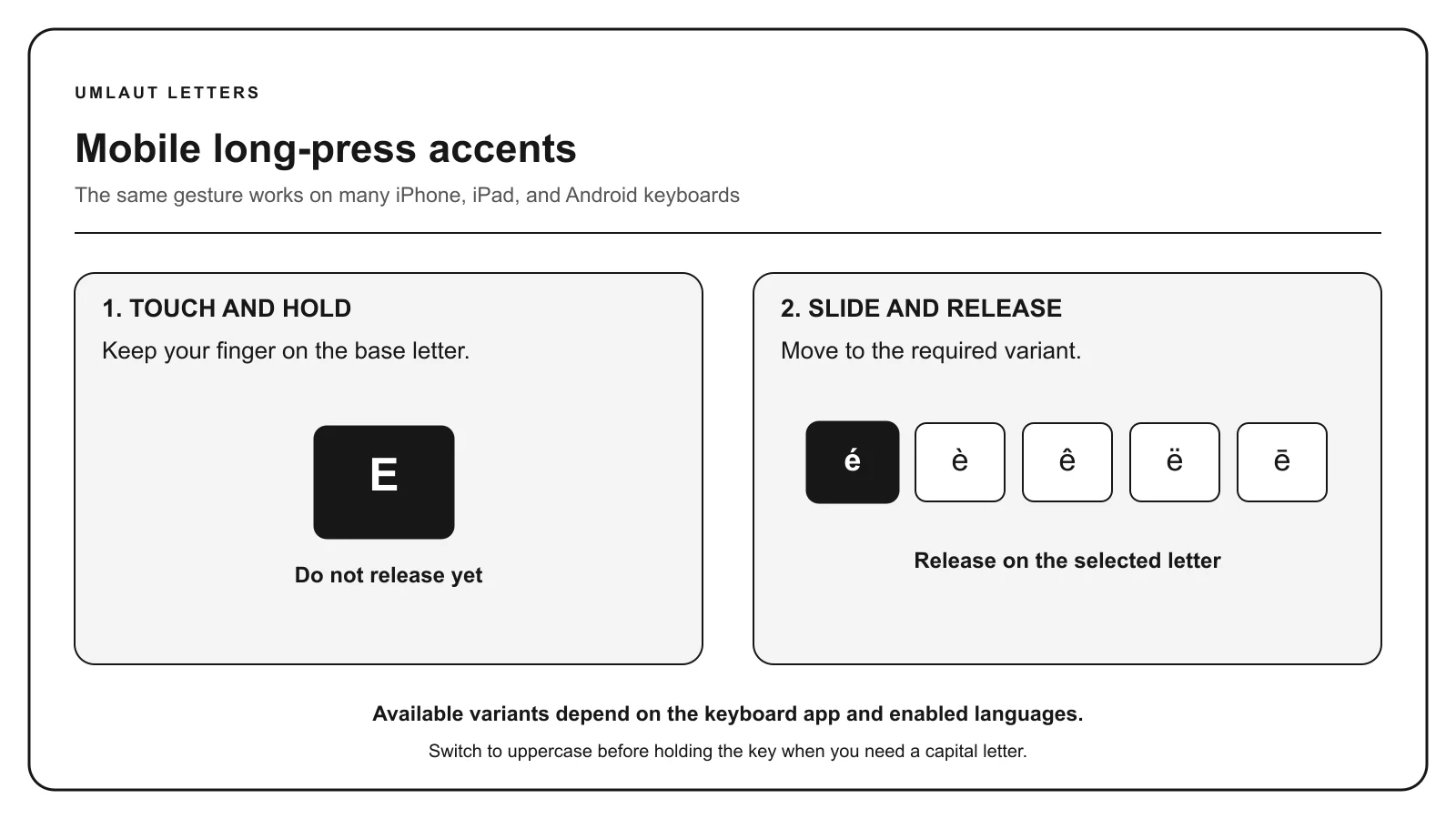
Touch and hold the base letter, keep your finger on the screen, slide to the required character, and release. Add the relevant language keyboard when a form is missing or when you need predictions and punctuation for complete sentences.
METHOD SELECTOR
The best method depends on how often you type the character, whether you know its name or code, and which input layout is active. Use this table as a starting point, then follow the detailed instructions below.
| Situation | Best starting method | Why |
|---|---|---|
| One common letter | Long press | Immediate access from the existing keyboard |
| Full sentences | Language keyboard | Complete characters, punctuation, and language suggestions |
| Rare character | Copy and paste | Long-press menus are intentionally limited |
| Repeated uncommon form | Text replacement | A personal shortcut can expand to the required character |
On iPhone, iPad, and many Android keyboards, holding a base letter opens a row of related characters. Continue holding while sliding to the required form. Lifting your finger too early can enter the plain letter or close the menu.
Switch to uppercase before holding the key when you need a capital form. The order of choices can change with the active language and keyboard app.
A general English keyboard may expose á, é, ñ, and ü but omit characters such as Polish ł, Turkish ı, or Czech ř. Adding the language keyboard provides a more complete set and improves autocorrection and word suggestions.
On iPhone and iPad, add keyboards in Settings under General and Keyboard. On Android, the exact path depends on the keyboard app, but language settings are usually available from the keyboard’s gear icon or system keyboard settings.
A text-replacement shortcut can expand a memorable sequence into a rare character or frequently used name. Choose a trigger that will not occur in ordinary words and confirm the expanded result before sending.
Do not use automatic replacement to strip accents from personal names. The correct character should remain the default whenever the destination accepts it.
Select the character on its focused page, then touch and hold the destination field and choose Paste. The pasted character is standard Unicode text and can be edited like surrounding text.
If the destination removes or rejects the character, its form may restrict the accepted character set. Check the service’s requirements before using a fallback spelling.
TROUBLESHOOTING
Add the relevant language keyboard or use a keyboard app that supports the character. Copy and paste remains available.
Keep your finger down until it is over the intended character, then release. Verify the mark before sending.
Activate Shift before opening the long-press menu, or copy the uppercase form from its reference page.
Check the form’s character policy and official-record instructions. Do not silently alter a name unless the process requires it.
COMMON QUESTIONS
Touch and hold the base letter, slide to the accented form, and release. Add the relevant language keyboard if the form is absent.
On most Android keyboards, hold the base letter and choose a variant. The available characters depend on the keyboard app and enabled languages.
An English long-press menu may omit it. Add Turkish as an input language or copy ı from the Turkish letters page.
No. The composition tools keep the text in the current browser session and do not intentionally send it to the site server or analytics.
References: Apple accent-entry guidance, Unicode character charts.