ONLINE WRITING TOOL
German keyboard
Type your text, then insert ä, ö, ü, or ß wherever you need it. Uppercase letters are included. Copy the finished text into your document or message.
Type your text and select a character to insert it at the cursor.
How to use this German keyboard
- Write in the text box. Use your regular keyboard for ordinary letters, spaces, and punctuation.
- Place your cursor. Click or tap where the special character belongs. You can also select text to replace it.
- Choose a character. The letter is inserted at the cursor. The other text stays in place.
- Copy your text. Select Copy text, then paste into the destination app.
Your text stays in the current browser tab. It is not uploaded or saved by the tool. Copy anything you want to keep before reloading or closing the page.
Which German letter do you need?
The German umlaut letters are ä, ö, and ü, with uppercase Ä, Ö, and Ü. They are different from a, o, and u: removing the dots can change a word.
ß is sharp S, also called Eszett. It is a consonant, not an umlaut or the Greek letter beta. ẞ is its uppercase form. Do not replace every ss with ß; the correct choice depends on the word and spelling convention.
A character keyboard, without changing your layout
This tool adds German letters to text you type with your existing keyboard. It does not remap physical keys or install a QWERTZ layout. Your usual typing and editing shortcuts continue to work in the text box.
If you write in German every day, adding a German input layout to your operating system may be more convenient. A German layout includes dedicated ä, ö, and ü keys and uses QWERTZ letter positions. Your physical key labels will not change when you switch the software layout.
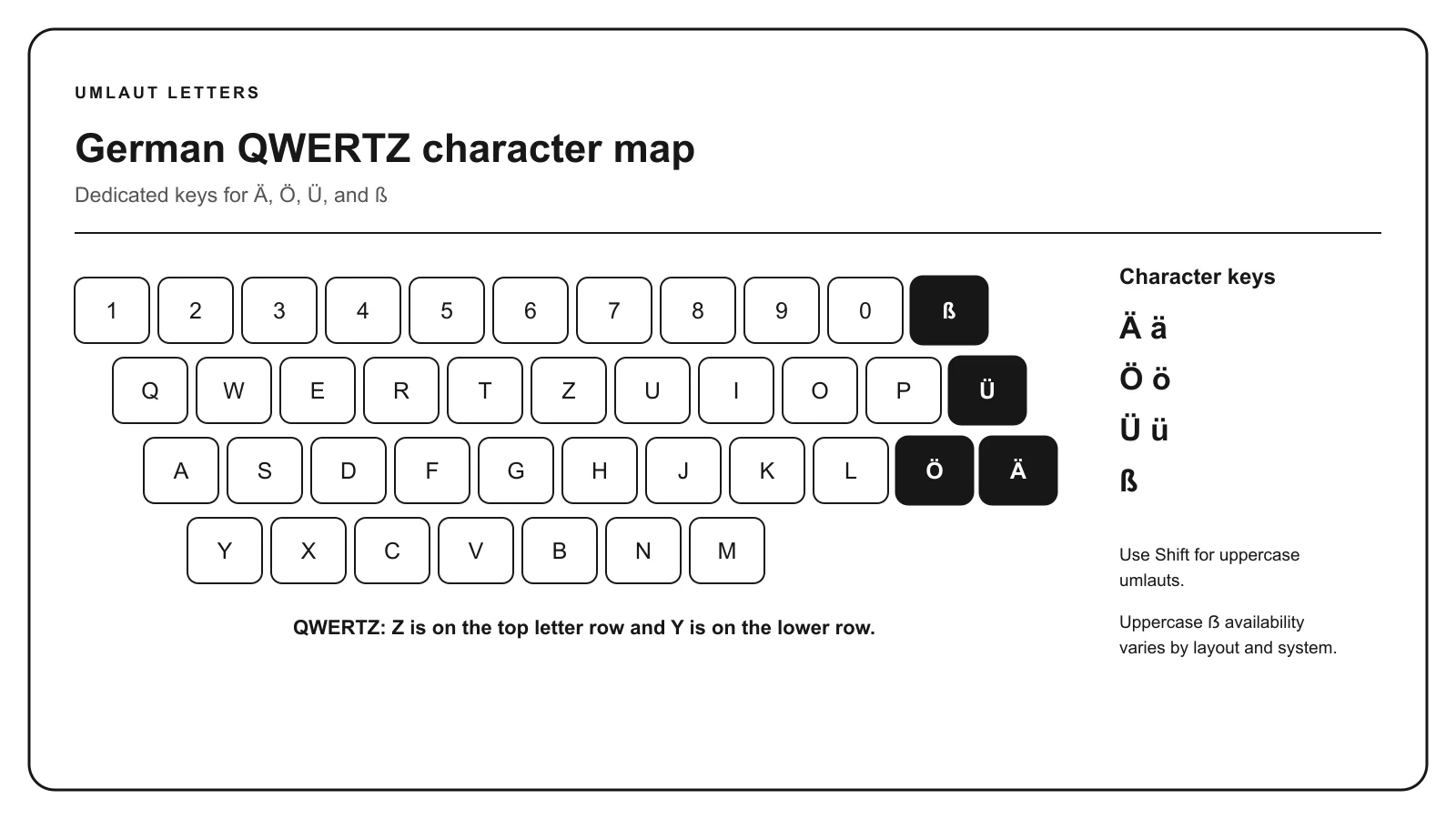
For occasional entry without this page, see the Windows, Mac, mobile, and Word shortcuts.
When German characters are not accepted
If a system cannot accept umlauts, the usual German substitutions are ä → ae, ö → oe, and ü → ue. Use AE, OE, and UE in all-capital text. For names or official records, follow the recipient’s spelling instructions.
Some forms accept a smaller character set even when your browser can display German letters. Test the text in a normal document first; this helps distinguish a copying problem from a restriction in the form.
Questions about the keyboard
Can I copy just one letter?
Yes. Switch to Copy a letter, then choose the character. Your composed text stays in this tab while you switch modes.
Can I edit in the middle of a word?
Yes. Place the cursor where the letter belongs, or select the part to replace, then select a character button. The letter is inserted at that position.
Does the keyboard correct my spelling?
No. The tool inserts the character you choose. It does not translate text, check German grammar, or automatically decide where an umlaut belongs.
What if Copy text does not work?
Select the text in the box and use your device’s Copy command. Browser clipboard permissions can affect the button even when manual copying works.
Related reference: copy accented letters from other languages.