Alt code does nothing
Traditional Alt entry needs the numeric keypad. Use Character Map, a keyboard layout, Word Alt+X, or copy and paste on a laptop without one.
FOCUSED TYPING GUIDE
Type German umlaut letters on Windows, Mac, iPhone, iPad, Android, Microsoft Word, and Google Docs. Choose a method that fits how often you write them.
Click a character, then paste with Ctrl+V or ⌘V.
AT A GLANCE
| Device or app | Method | Example for ü |
|---|---|---|
| Windows with keypad | Four-digit Alt code | Alt+0252 |
| Windows without keypad | German or US-International layout, Character Map, or copy | Select or enter ü |
| Mac ABC layout | Option dead key | Option+U, then U |
| iPhone and Android | Hold the vowel | Hold U, slide to ü |
| Microsoft Word | Accent shortcut or Unicode | Ctrl+Shift+:, U or 00FC Alt+X |
| Google Docs | System keyboard or Insert Special characters | Use the active OS method |
With a numeric keypad, hold Alt and enter 0196 for Ä, 0228 for ä, 0214 for Ö, 0246 for ö, 0220 for Ü, or 0252 for ü. Keep the leading zero and release Alt only after entering the last digit.
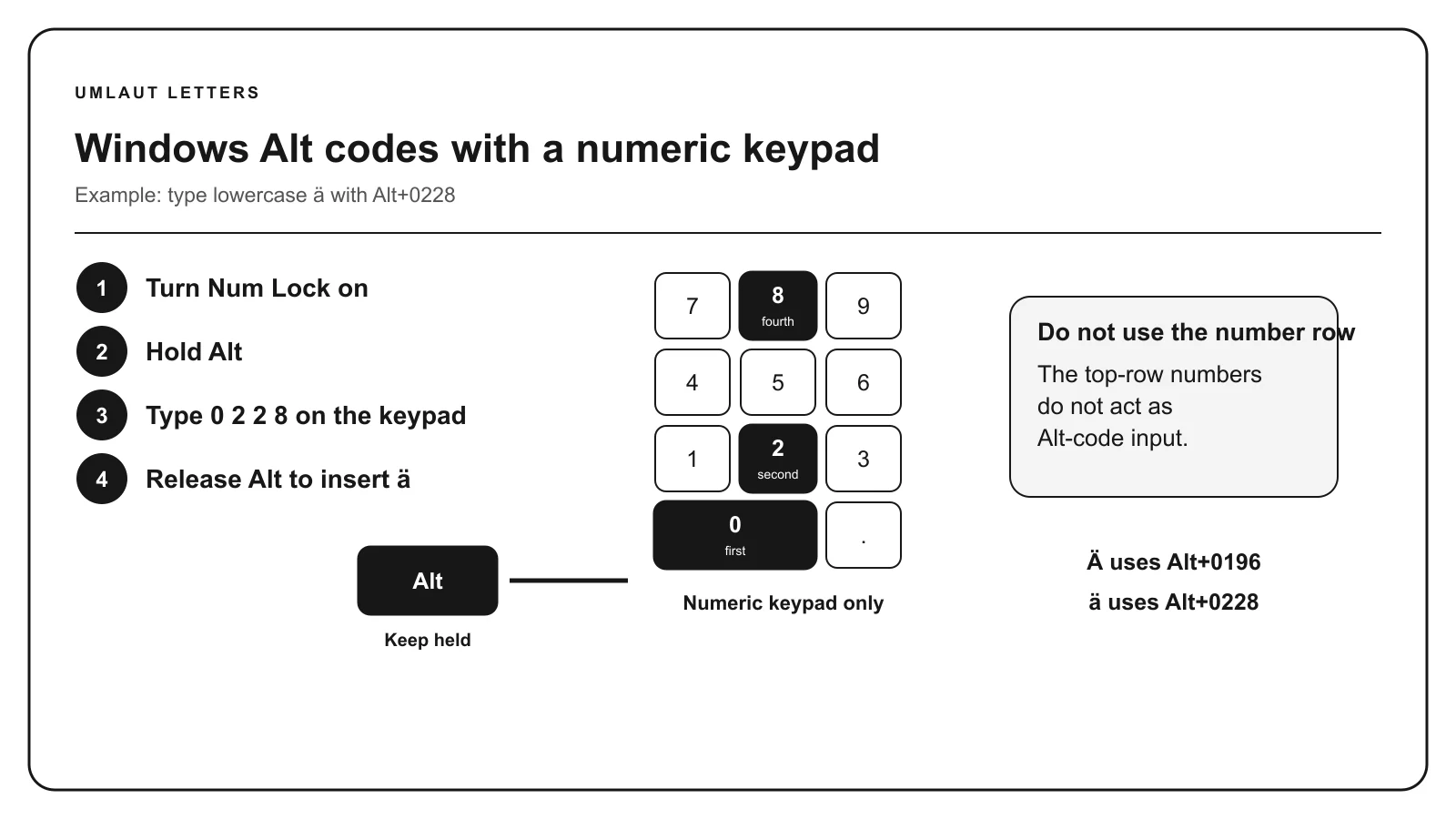
Without a keypad, add the German layout for regular writing or US-International for common multilingual accents. Character Map and copy and paste are dependable one-time alternatives. See the complete Windows accents guide before relying on Alt entry in an unfamiliar application.
On the ABC input layout, press Option + U, release both keys, then type A, O, or U. Hold Shift while typing the final vowel for uppercase. You can also hold the vowel until the accent menu appears.
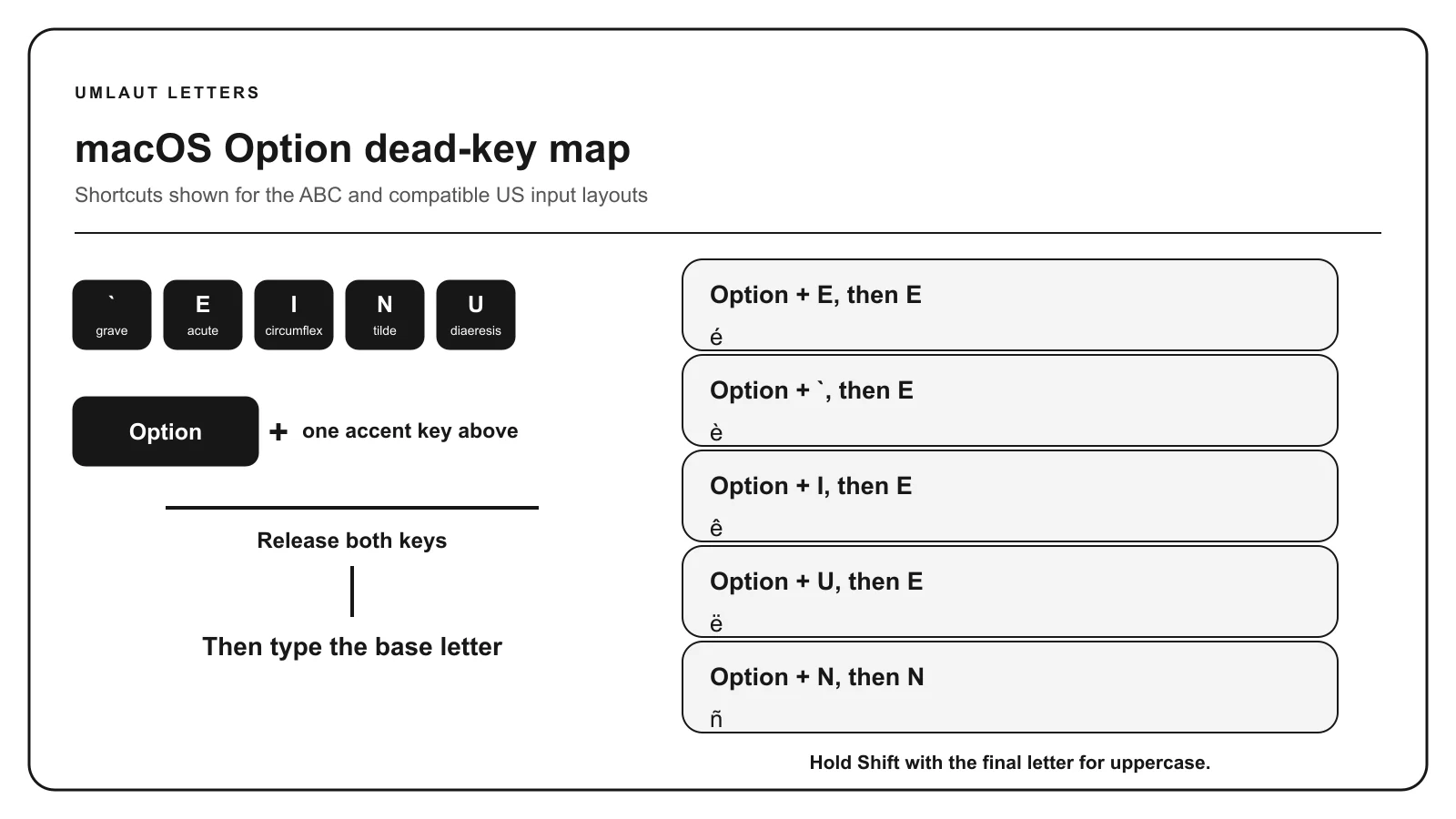
Another input source can assign different keys. Use Keyboard Viewer to confirm the active mapping, or follow the complete Mac accents guide.
Touch and hold A, O, or U on the on-screen keyboard, slide to the two-dot form, and release. Turn on uppercase first for Ä, Ö, or Ü. If the choice is missing, add German as an input language.
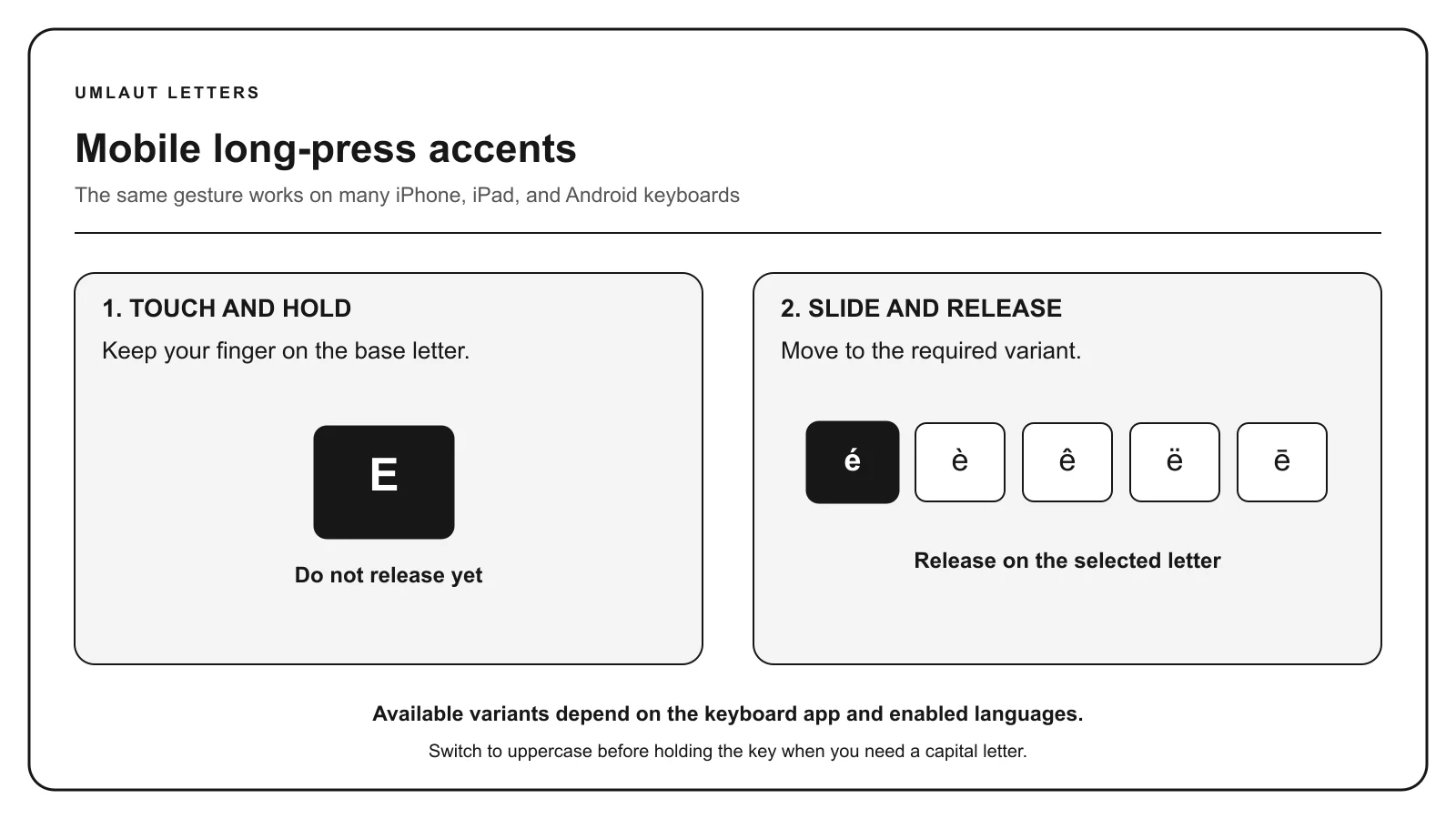
Mobile keyboard apps expose different long-press menus. The mobile accents guide explains language keyboards, text replacement, and copying uncommon forms.
In Word, press Ctrl + Shift + colon, release, then type the vowel. You can also type 00E4, 00F6, or 00FC and press Alt+X for lowercase ä, ö, or ü. Uppercase values are 00C4, 00D6, and 00DC.
Google Docs accepts the operating system’s keyboard input. On desktop, Insert and Special characters provides a visual picker. See the focused Word guide or Google Docs guide for application boundaries.
WHEN A SYSTEM REJECTS THE CHARACTER
If your keyboard or destination cannot accept German characters, use these established replacements. Use the original characters whenever Unicode text is supported. For uppercase text, Ä, Ö, and Ü become Ae, Oe, and Ue in title case or AE, OE, and UE in all capitals.
Uppercase ß may be written as ẞ where appropriate, while SS remains an established fallback. Personal names and official records should follow the spelling supplied by the person or issuing authority. These substitutions are specific to German, so do not apply them automatically to similar-looking characters in another language.
Traditional Alt entry needs the numeric keypad. Use Character Map, a keyboard layout, Word Alt+X, or copy and paste on a laptop without one.
Check the active input layout and the exact key sequence. Acute á, diaeresis ä, and ring å are different characters.
The form may restrict its character set. When German umlauts are unavailable, use ae, oe, or ue and follow official-record requirements.
The destination font may lack support. Try another font while keeping the same Unicode character.
For one letter, copy and paste it. For repeated German writing, enable a German keyboard. Device-specific dead keys are efficient when you know the active layout.
Use a language layout, Windows Character Map, a Mac Option sequence, a mobile long-press menu, Word Alt+X, or copy and paste.
That sequence assumes a compatible layout such as ABC. Check the active input source or use Keyboard Viewer and the press-and-hold menu.
No. In German, use ue when the umlaut character is technically unavailable. Plain u is not the standard fallback.
References: Microsoft Windows keyboard guidance, Microsoft Word character codes, Apple accent entry, and Unicode Latin-1 names list.