N with tilde
Tilde
NIÑO boy, in uppercase
COPY & TYPE / N WITH TILDE
Select Ñ for uppercase or ñ for lowercase. Copy the Spanish letter, then paste it into a name, word, document, or message.
Click a character, then paste with Ctrl+V or ⌘V.
CHARACTER GUIDE
Ñ and ñ are the uppercase and lowercase forms of n with tilde. In Spanish, ñ is a separate letter with its own name, eñe. It is not an n with optional decoration.
Tilde
NIÑO boy, in uppercase
Tilde
niño boy
KEYBOARD METHODS
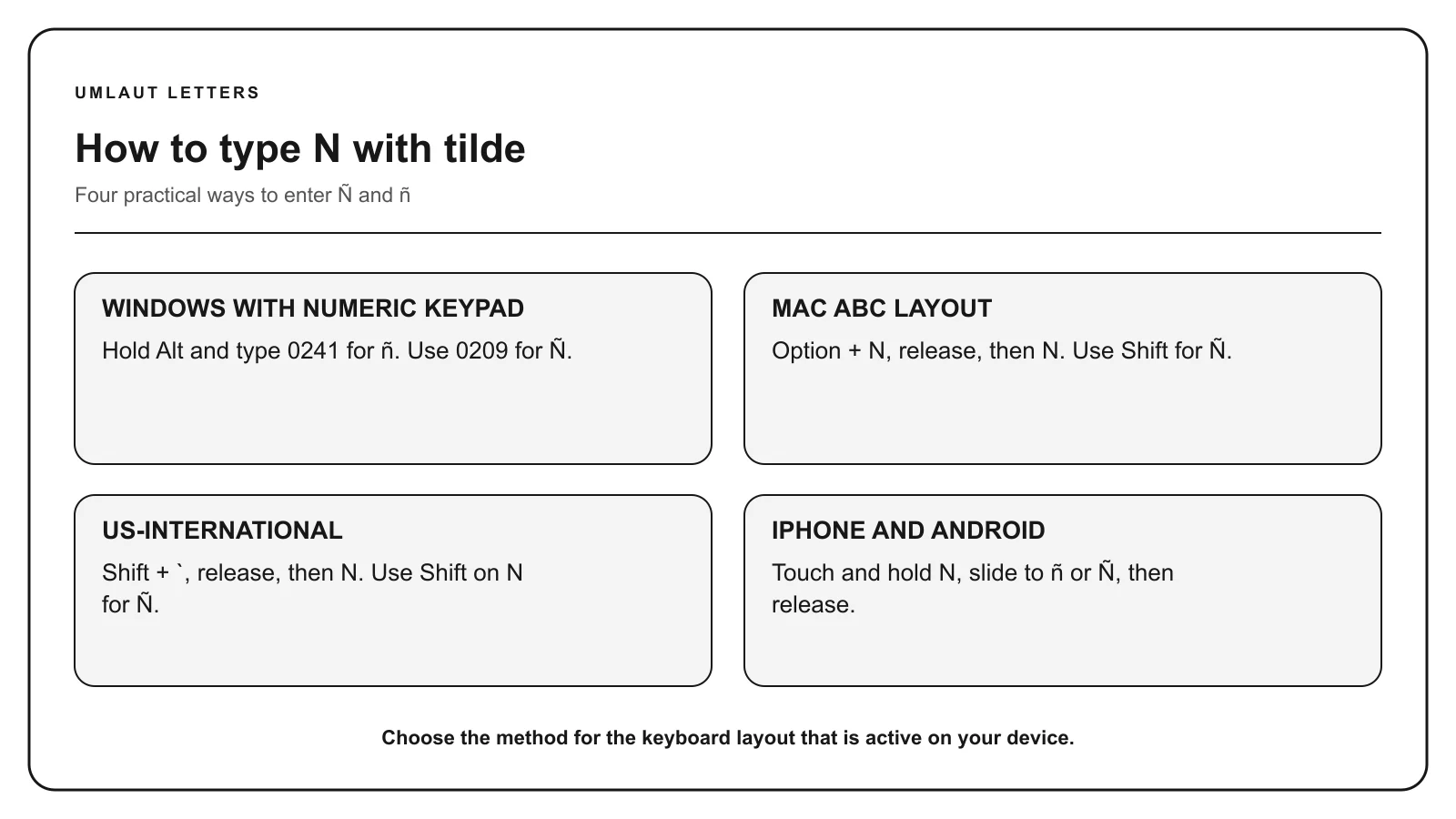
Turn Num Lock on. Hold Alt, enter 0241 on the numeric keypad, and release Alt to produce ñ.
Use the numeric keypad for listed Alt codes, not the number row. A listed code may depend on Windows and the active character set.
On the US or ABC layout, press Option + N, release both keys, then press N. Use Shift with the final N for Ñ. You can also hold the N key and choose ñ from the accent menu.
Shortcuts described here assume the US or ABC input layout. Another selected layout can assign different keys.
Touch and hold N on the on-screen keyboard. Keep your finger down, slide to the character you need, and release. Switch to uppercase before holding the key for a capital letter.
The available characters depend on your keyboard and enabled languages. Add a relevant language keyboard if the required form does not appear.
In Microsoft Word for Windows, type a hexadecimal value without U+, then press Alt + X. For example, type 00F1 and convert it to ñ. Select only the code before converting if another letter or number comes immediately before it.
With the US-International keyboard enabled, press the tilde key and then N. Use Shift for the uppercase form. A Spanish keyboard has a dedicated Ñ key to the right of L.
CHARACTER REFERENCE
| Letter | Mark | Unicode | Windows Alt | HTML named | HTML decimal |
|---|---|---|---|---|---|
| Ñ | Tilde | U+00D1 | Alt+0209 | Ñ | Ñ |
| ñ | Tilde | U+00F1 | Alt+0241 | ñ | ñ |
Paste the character itself into normal text. HTML entities belong in HTML source. Unicode labels use hexadecimal notation, while HTML decimal entities and Windows Alt codes use decimal numbers.
MEANING & SPELLING
Spanish uses ñ in words such as niño, señor, año, mañana, and España. The tilde changes the letter and can change the word. For example, año means “year,” while ano is a different Spanish word.
The letter is commonly called eñe in Spanish. In the Philippines, it is also known as enye and appears in personal names, place names, and words with Spanish roots.
Keep ñ when writing a person’s name or an official place name. If a form rejects the character, follow that form’s instructions rather than silently replacing it. Some systems accept n as a technical fallback, but it is not the same Spanish spelling.
Ñ has a wavy tilde above it. The letters ń and ň use an acute accent and a caron. They are separate Unicode characters used in different languages, so choose the mark that appears in the original spelling.
COMMON QUESTIONS
It is called eñe in Spanish. English speakers also describe it as n with tilde. In the Philippines, the spelling enye is common.
Yes. Ñ is a letter of the Spanish alphabet, not merely a decorative version of n. It represents a different sound and can distinguish words.
Copy it from this page, use the accent menu on Mac or mobile, enable a Spanish or US-International keyboard, or type 00F1 followed by Alt+X in Microsoft Word.
Only use n if a system cannot accept ñ and its instructions require a basic Latin substitute. In normal Spanish text and names, ñ is the correct character.
Yes. Ñ is the uppercase form of ñ, and the tilde remains part of the letter.
Sources: Unicode Latin-1 Supplement, Unicode Latin Extended-A, Unicode Latin Extended Additional, Apple Support, Microsoft Support, Microsoft US-International layout.