A with tilde
Tilde
SÃO uppercase Portuguese form
COPY & TYPE / A WITH TILDE
Copy uppercase à or lowercase ã and learn how to type the exact character on Windows, Mac, mobile devices, and international keyboards.
Click a character, then paste with Ctrl+V or ⌘V.
CHARACTER GUIDE
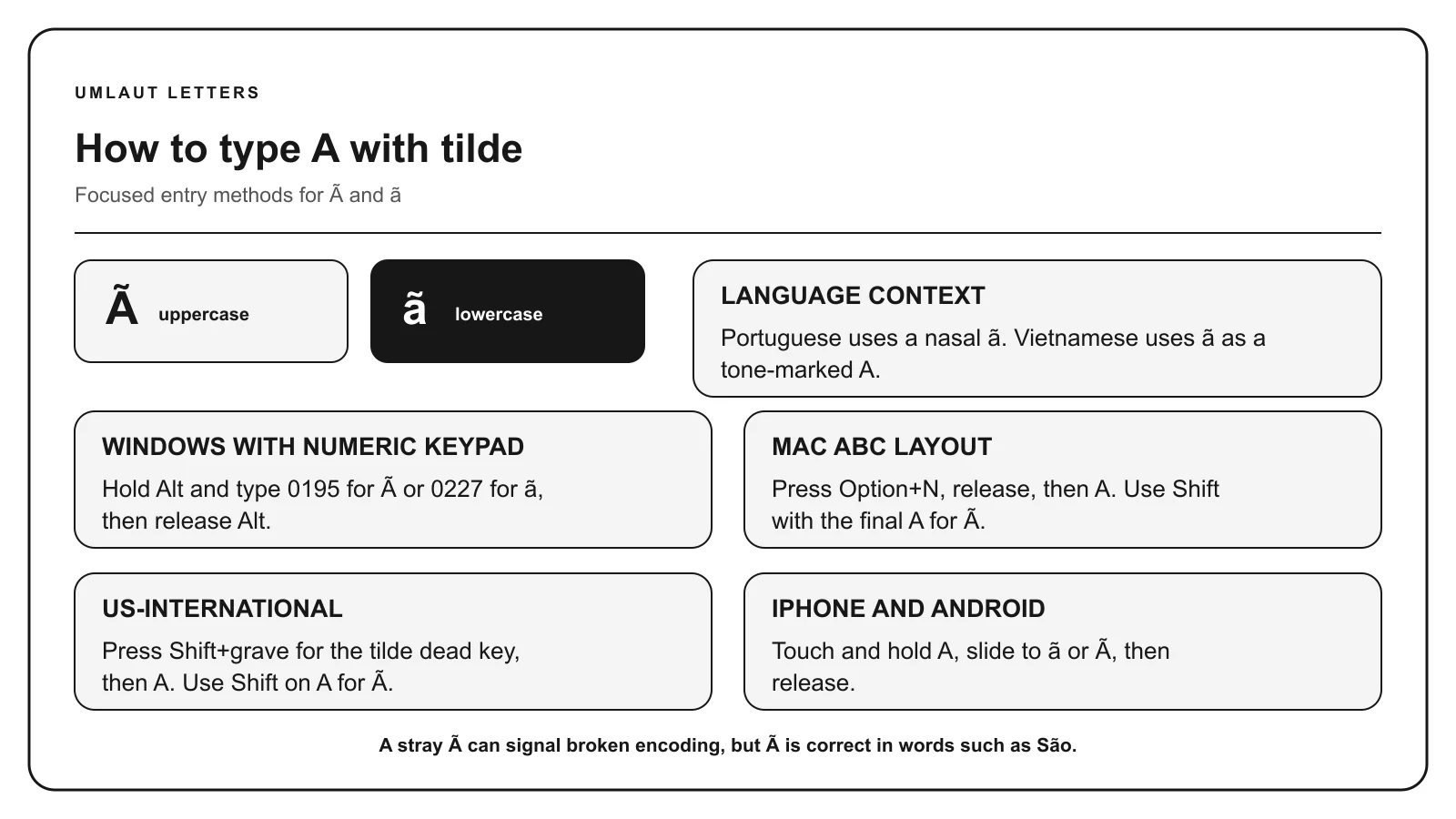
à and ã are Latin A with tilde. They are especially important in Portuguese spelling, where the tilde marks a nasal vowel, and they also occur in Vietnamese and other writing systems.
Tilde
SÃO uppercase Portuguese form
Tilde
maçã apple in Portuguese
KEYBOARD METHODS
Turn Num Lock on. Hold Alt, enter 0227 on the numeric keypad, and release Alt to produce ã.
Use the numeric keypad for listed Alt codes, not the number row. A listed code may depend on Windows and the active character set.
On the US or ABC layout, press Option + N, release both keys, then press A. Use Shift with the final A for Ã. Holding A may also open an accent menu that includes ã.
Shortcuts described here assume the US or ABC input layout. Another selected layout can assign different keys.
Touch and hold A on the on-screen keyboard. Keep your finger down, slide to the character you need, and release. Switch to uppercase before holding the key for a capital letter.
The available characters depend on your keyboard and enabled languages. Add a relevant language keyboard if the required form does not appear.
In Microsoft Word for Windows, type a hexadecimal value without U+, then press Alt + X. For example, type 00E3 and convert it to ã. Select only the code before converting if another letter or number comes immediately before it.
With the US-International keyboard enabled, press Shift + grave to create the tilde dead key, then press A. Use Shift with A for Ã. In Microsoft Word, type 00E3 and press Alt+X for ã, or 00C3 and Alt+X for Ã.
CHARACTER REFERENCE
| Letter | Mark | Unicode | Windows Alt | HTML named | HTML decimal |
|---|---|---|---|---|---|
| Ã | Tilde | U+00C3 | Alt+0195 | Ã | Ã |
| ã | Tilde | U+00E3 | Alt+0227 | ã | ã |
Paste the character itself into normal text. HTML entities belong in HTML source. Unicode labels use hexadecimal notation, while HTML decimal entities and Windows Alt codes use decimal numbers.
MEANING & SPELLING
Portuguese uses ã in words such as maçã and manhã, and à in uppercase text and proper names such as São Tomé. The tilde is part of the spelling and often signals a nasal vowel. Do not remove it merely because an unaccented keyboard is active.
Vietnamese also uses ã, but there the tilde represents a tone mark and may combine with the vowel conventions of Vietnamese. Similar-looking marks can therefore perform different linguistic jobs in different languages.
A stray à in otherwise ordinary text can be evidence of a character-encoding error. For example, UTF-8 text decoded with the wrong legacy encoding can display sequences such as é. That does not make à an error by itself. In Portuguese and other correct spellings, à is the intended letter.
Read the context. In São or manhã, à and ã are correct Portuguese characters. In a garbled sequence such as é where é was expected, the text was probably decoded using the wrong character encoding.
COMMON QUESTIONS
Hold Alt and type 0227 on the numeric keypad. For uppercase Ã, use Alt+0195. In Microsoft Word, 00E3 followed by Alt+X produces ã.
On the Mac US or ABC layout, press Option and N, release both keys, then press A. Use Shift with the final A for uppercase Ã.
In Portuguese spelling, the tilde indicates nasalization of the vowel. The precise pronunciation depends on the word and regional variety.
A visible à can appear when UTF-8 bytes are decoded using the wrong character encoding. Check the surrounding characters and the document encoding before replacing it.
It is the same Unicode character, but its linguistic role differs. Portuguese uses the tilde to mark a nasal vowel, while Vietnamese uses it as a tone mark.
Sources: Unicode Latin-1 Supplement, W3C Latin-1 entities, Apple Support, Microsoft Support.