PRACTICAL CHARACTER GUIDE
The best way to type accents frequently
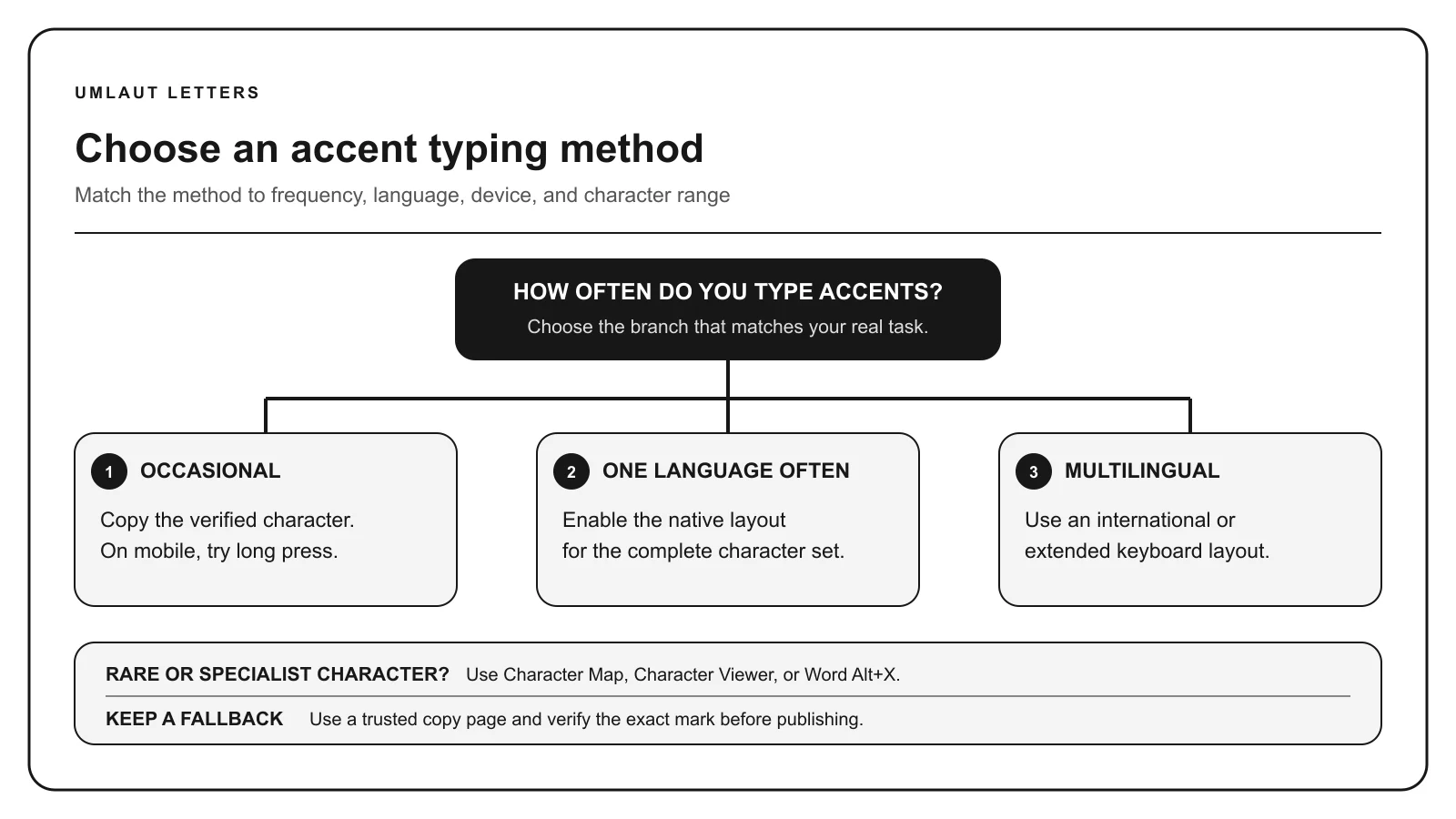
The fastest method is usually a keyboard layout you can use without leaving the text field. The right layout depends on whether you write one language, several related languages, or occasional specialized characters.
01
Start with frequency and language, not a favorite shortcut
Copy buttons and character pickers are excellent for one unfamiliar symbol. They become slow when every sentence contains several accents. A memorized Alt code can be quick for one letter, but it scales poorly across a complete language and may depend on a numeric keypad.
List the characters you use in a normal week. Include uppercase forms, language punctuation, quotation marks, and special letters that are not accents. A Turkish workflow needs dotted and dotless I, while a Polish workflow needs Ł and Ż as well as acute and ogonek letters.
02
Use a native language layout for sustained writing
A language-specific keyboard is usually the strongest default for daily writing. It exposes the complete expected alphabet and punctuation, works in most applications, and aligns with dictionaries and input suggestions. You can keep several layouts installed and switch through the operating system.
The tradeoff is learning key positions that may not match the printed hardware. Use an on-screen keyboard viewer, print a layout reference for the first week, and practice a test sentence containing every special letter. Accuracy becomes automatic with repetition.
03
Use an international dead-key layout for a mixed set
US International and comparable extended layouts suit writers who retain a familiar base keyboard while entering common Western European accents. A dead key waits for the next letter, so apostrophe followed by E can produce é and quotation mark followed by U can produce ü.
Dead keys change punctuation behavior. Press the mark key and Space when you need the punctuation itself. An international layout may not cover a language’s full set, so confirm every required character before committing to it.
04
Choose platform tools for uncommon characters
Windows Character Map, macOS Character Viewer, application symbol dialogs, Unicode conversion in Microsoft Word, and compose-key systems can reach characters outside a daily layout. These are good secondary methods when the character is rare but must be exact.
Traditional Windows Alt codes are limited and require a numeric keypad for the familiar leading-zero sequences. Do not treat the decimal form of a Unicode code point as an automatic Alt code. Use a verified method from the device guide.
05
Mobile keyboards reward language setup
Long-press menus are fast for an occasional accented vowel. A language keyboard is better for complete messages because it offers the right alphabet, autocorrection, word suggestions, and punctuation. Add only the languages you actually use to keep switching manageable.
Test uppercase and less common forms. Some keyboards expose a character only after adding the language. Text replacement can help with a repeated personal term, but avoid rules that silently change ordinary letter sequences inside other words.
06
Build and test a personal input system
Pick one primary method, one fallback, and one verification tool. A German writer might use the German layout, copy an uncommon historical character, and inspect suspicious text with the identifier. A multilingual editor might use US International plus native layouts for languages with broader sets.
Measure success by correct text and uninterrupted writing, not by the fewest theoretical keystrokes. Test your workflow in email, browser forms, documents, spreadsheets, and remote sessions. Keep UTF-8 throughout the publishing pipeline so accurate input survives storage and export.
- Primary: native or international keyboard layout
- Fallback: character picker or trusted copy page
- Verification: inspect code points when text behaves unexpectedly
- Publishing: preserve UTF-8 and correct spelling
Continue with the right reference
Sources: Microsoft US International keyboard guidance, Google Chromebook keyboard help, Apple accent-entry guidance.